What is behind the presentations
PitchArena is the CMS this campaign was made in. It maps Hungarian sports sponsors, collects VR, AR and AI ideas tailored to each sport, and builds a personal web presentation and outreach email for every company in its brand colours — with a human approval at every step. The admin is private; here we show what is behind it with screenshots, a short video and five real sample presentations.
What is the system for?
Most sponsorships today are about visibility: a logo on a shirt, a banner by the pitch. ARworks can build experiences around them — but that requires knowing every sponsor and giving each one an idea tailored to its own situation. By hand, that would be months of work.
A ready picture instead of research
How popular each sport is, who sponsors it and in what role — with sources, in hours rather than weeks.
At scale, yet personal
Every company gets its own presentation: in its brand colours, with ideas and venues tailored to its own sponsorship.
A human decides
AI prepares, a human approves. Nothing goes out on its own, and emails leave at no more than 3–5 a day.
Six steps from research to email
AI prepares every step, and every step ends with a decision point: only approved material moves on.
Sports
Popularity, attendance, sponsorship market and VR/AR/AI suitability per sport, with sources and a score.
- What AI does
- Web research with citations (Perplexity)
- Decision point
- Which sports do we work with?
A minute in the admin
We click through the campaign steps: sports, the idea library, a company’s sponsorships, the live preview of a presentation, an outreach email, background jobs and settings.
What can the CMS do?
Ten screens from the system — with real data from the pilot campaign. Click an image to enlarge it.
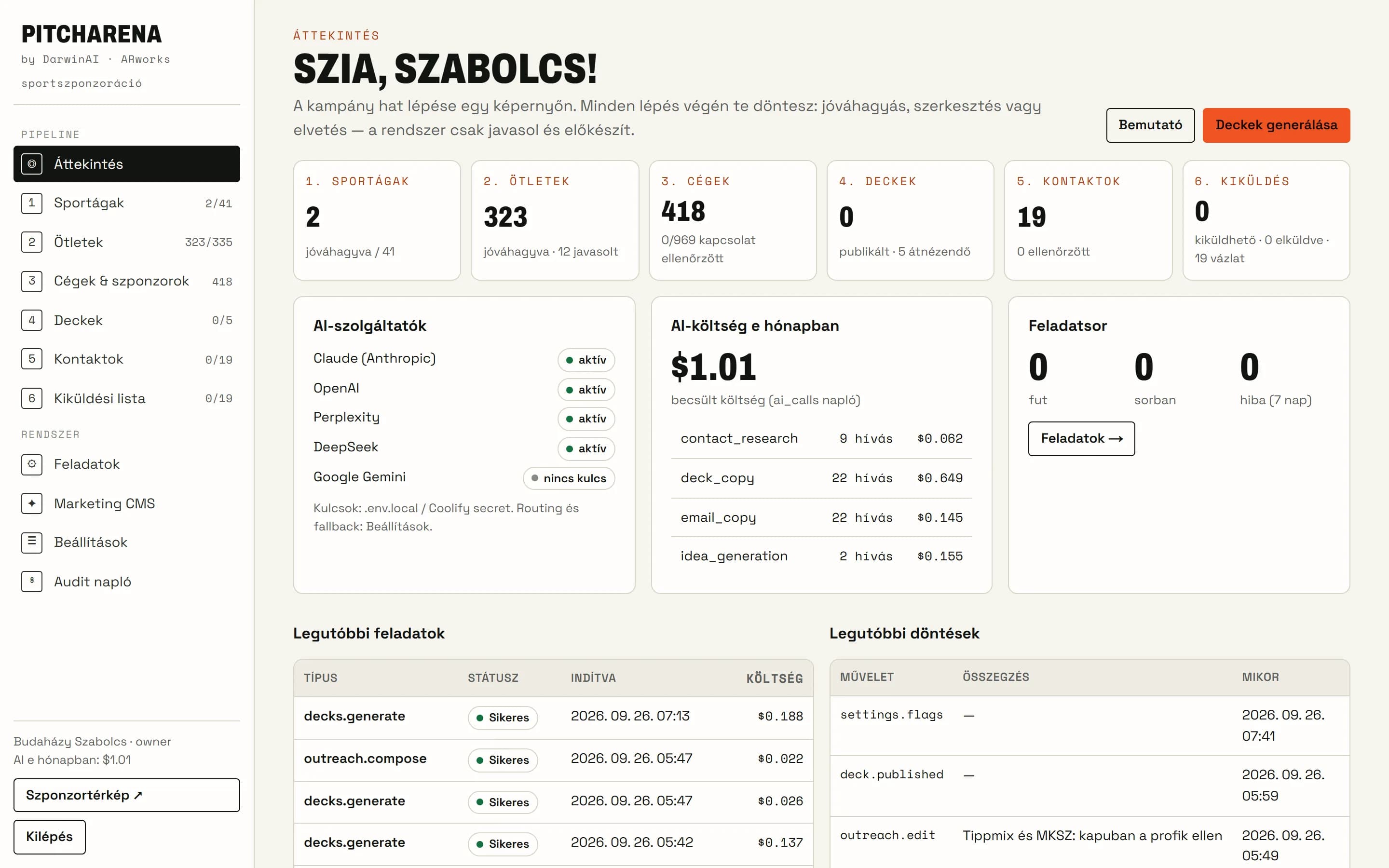
- Overview
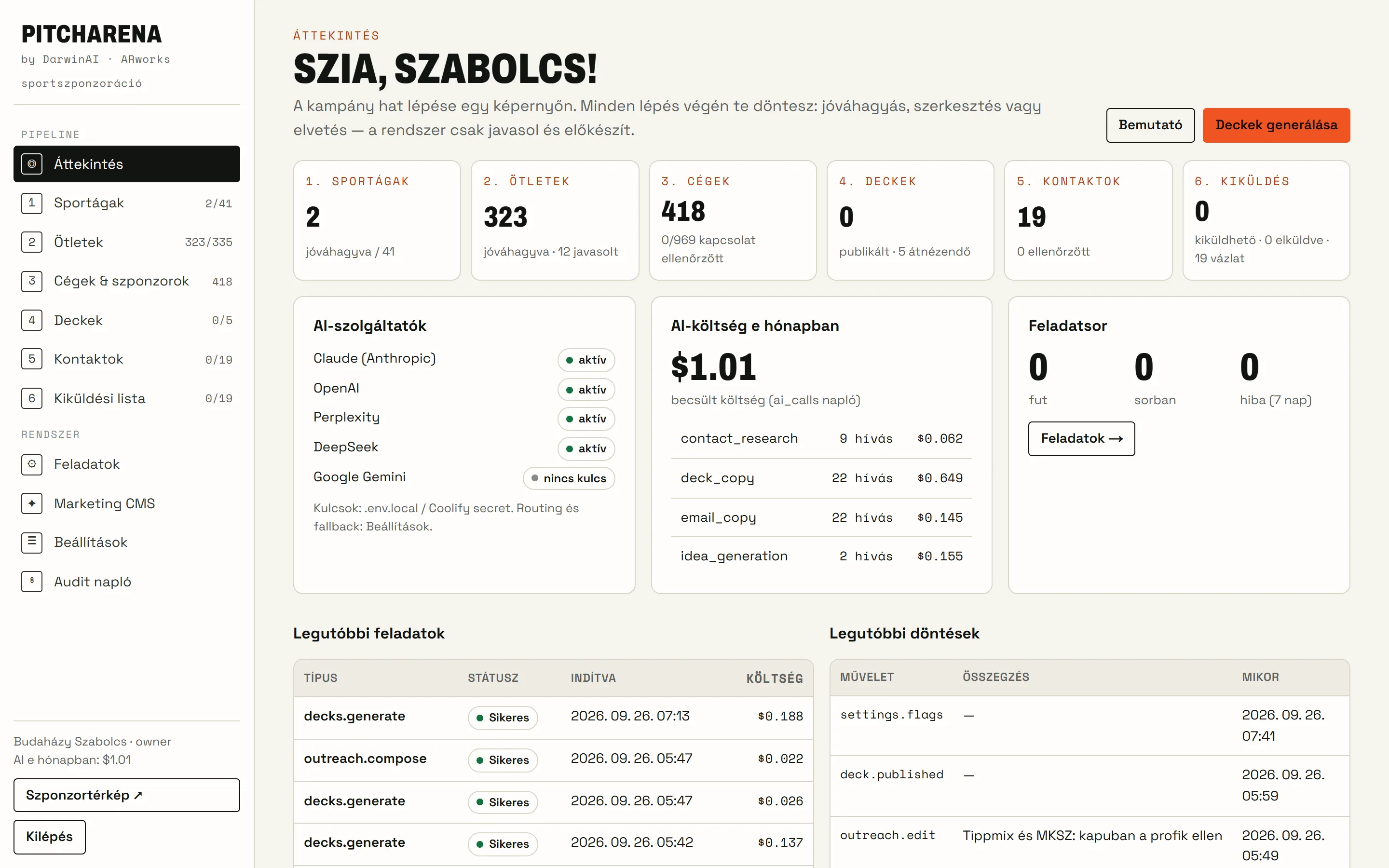
The campaign at a glance
Counters per step, the status of AI providers, monthly AI cost and budget, running jobs and the latest decisions.
- Six steps, each with a decision point
- AI cost in real time, with a monthly budget
- Guided tour for new users
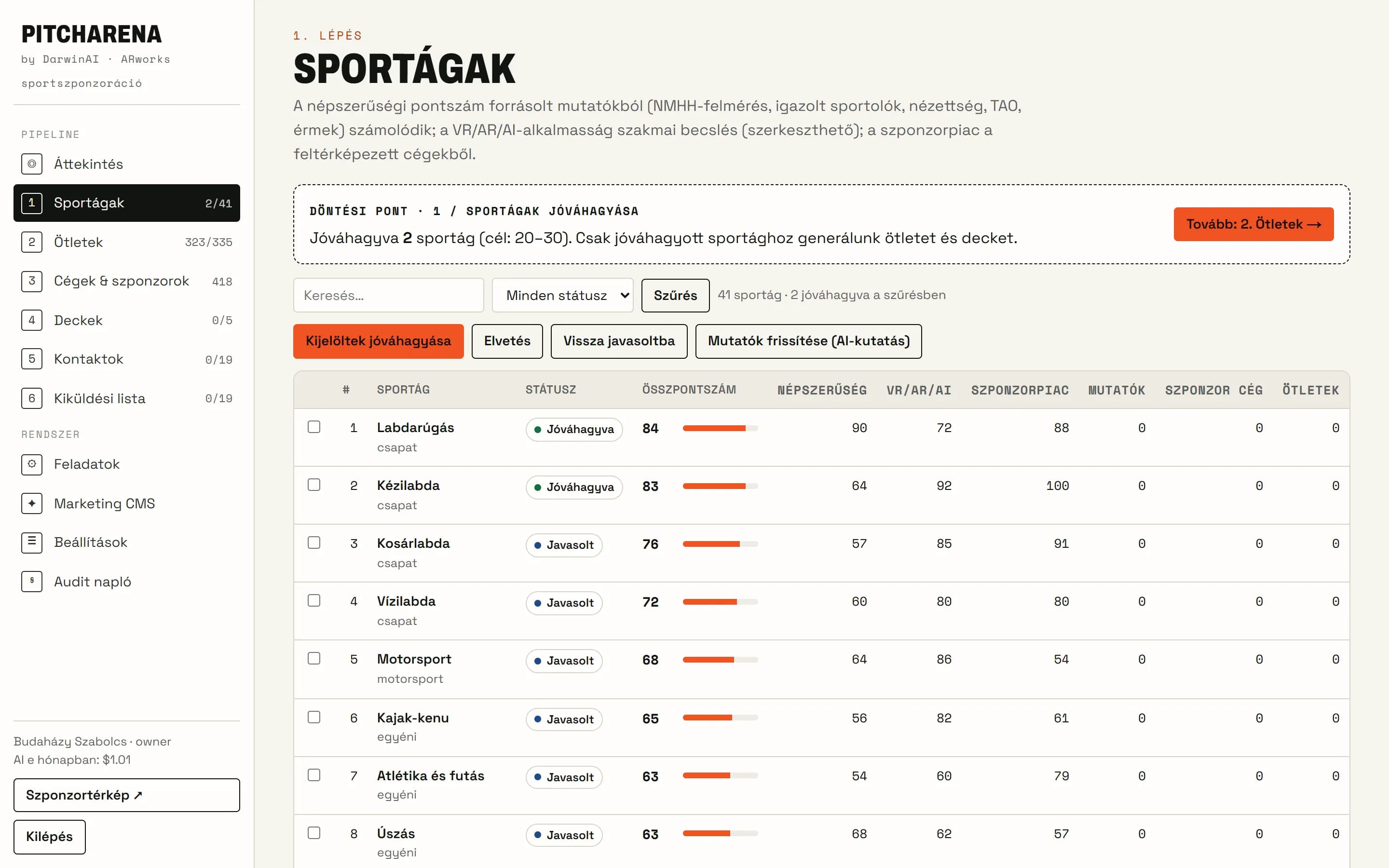
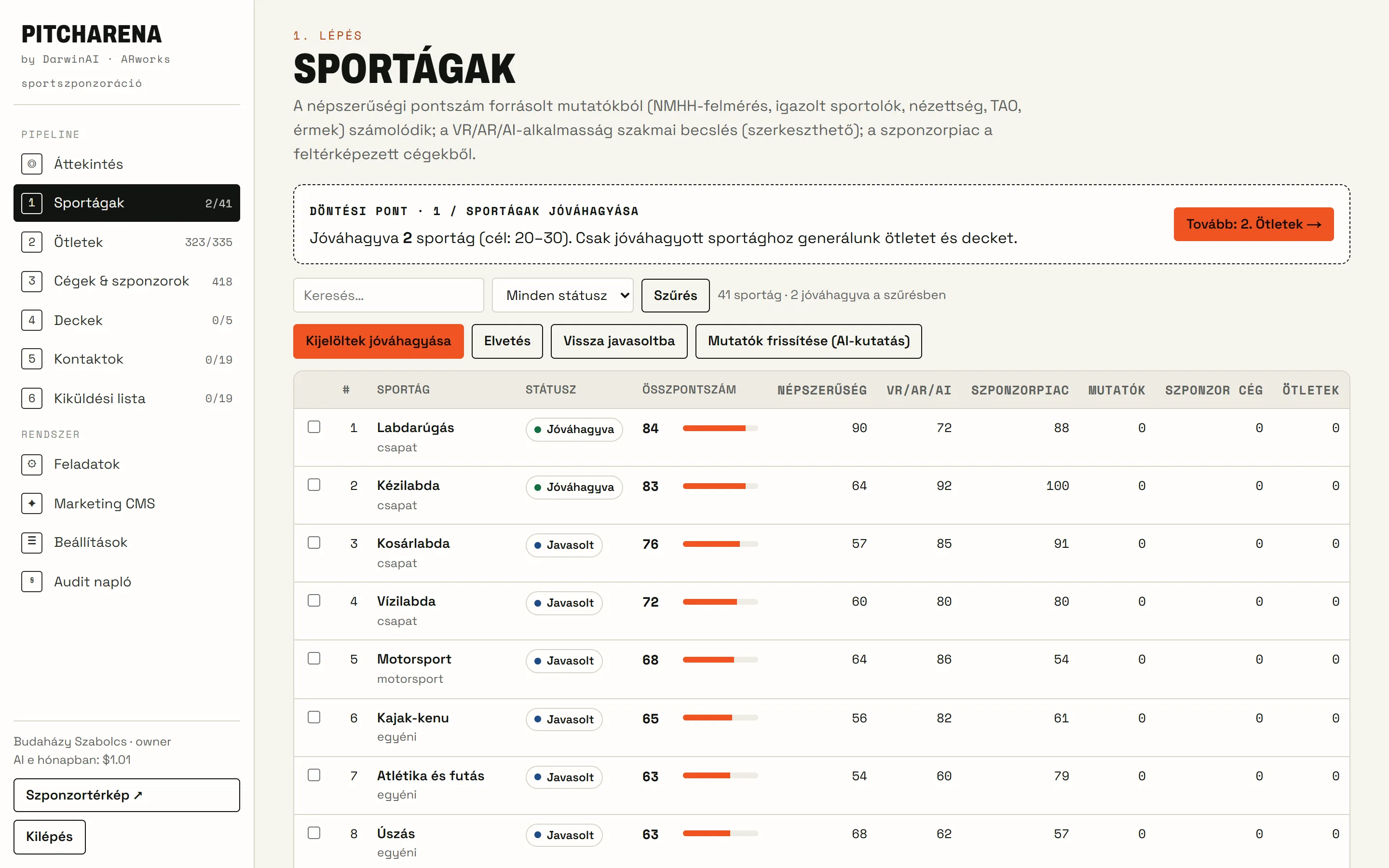
- Step 1 · Sports
Which sport is worth building on?
41 sports scored by popularity, sponsorship market and VR/AR/AI suitability — with the source next to every figure.
- Attendance, membership, media interest, sourced
- Overall score and ranking
- After approval only the selected sports move on
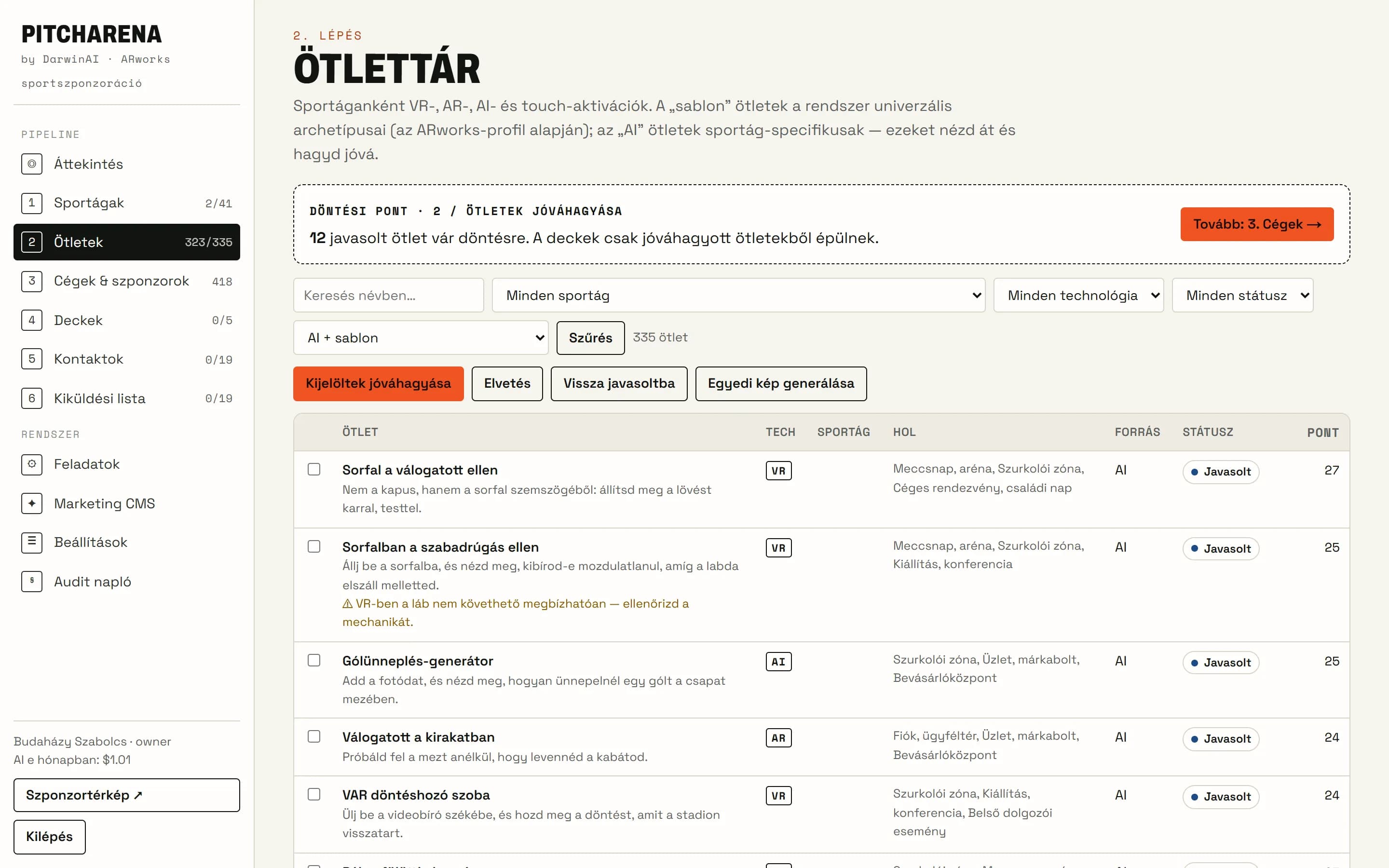
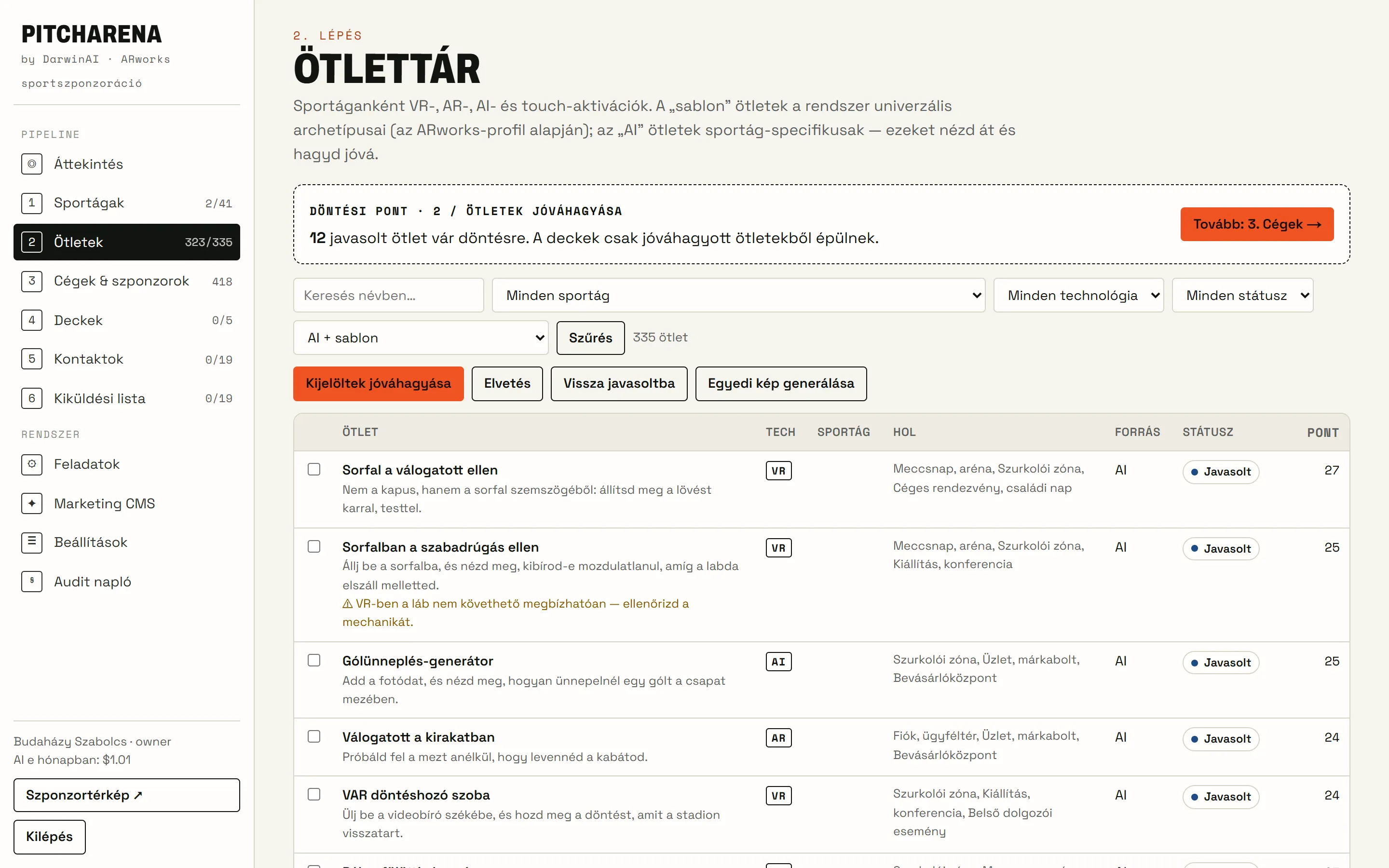
- Step 2 · Idea library
Ideas tailored to each sport
VR, AR and AI experience ideas from templates and AI, with venue, technology, ARworks fit and approval.
- 15 experience types × sport, plus AI ideas
- Technology, venue, scoring, image
- Only approved ideas can go into presentations
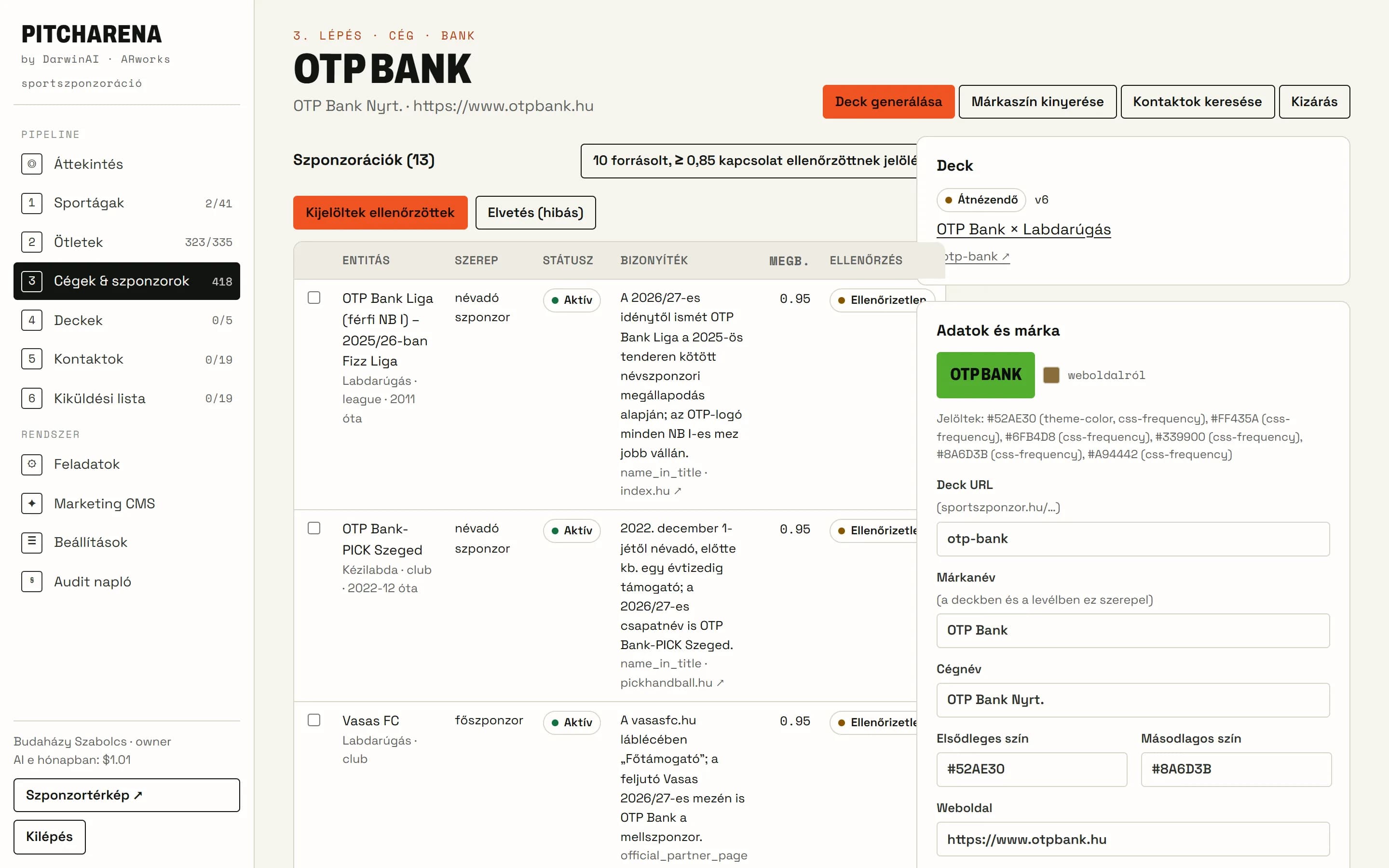
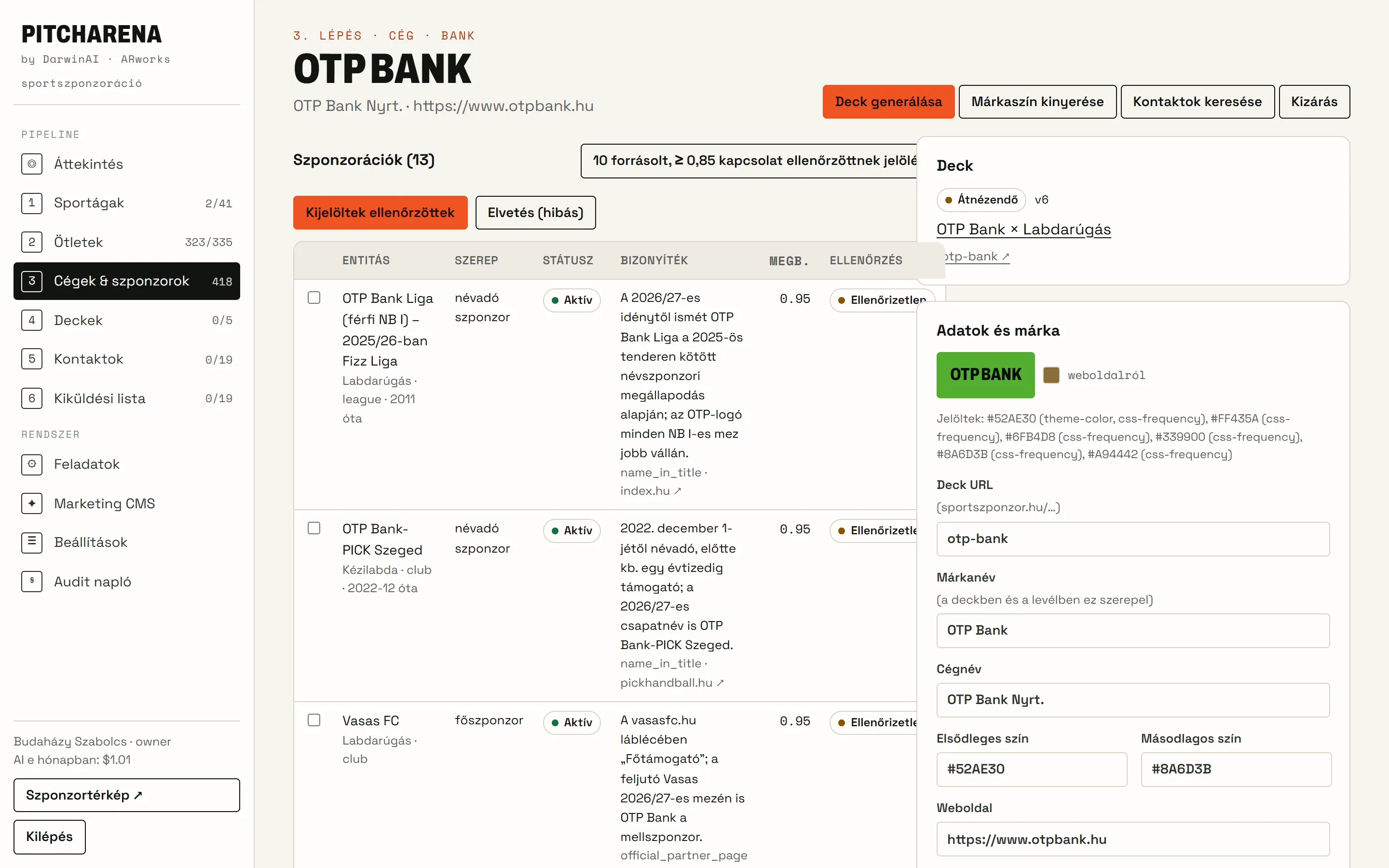
- Step 3 · Companies
Every sponsor, with a source
418 companies and 969 sponsorships with role, confidence and source link. The system extracts the brand colour from the company logo.
- Role: main sponsor, naming partner, partner…
- Verified and uncertain links marked separately
- Brand colour and presentation data per company
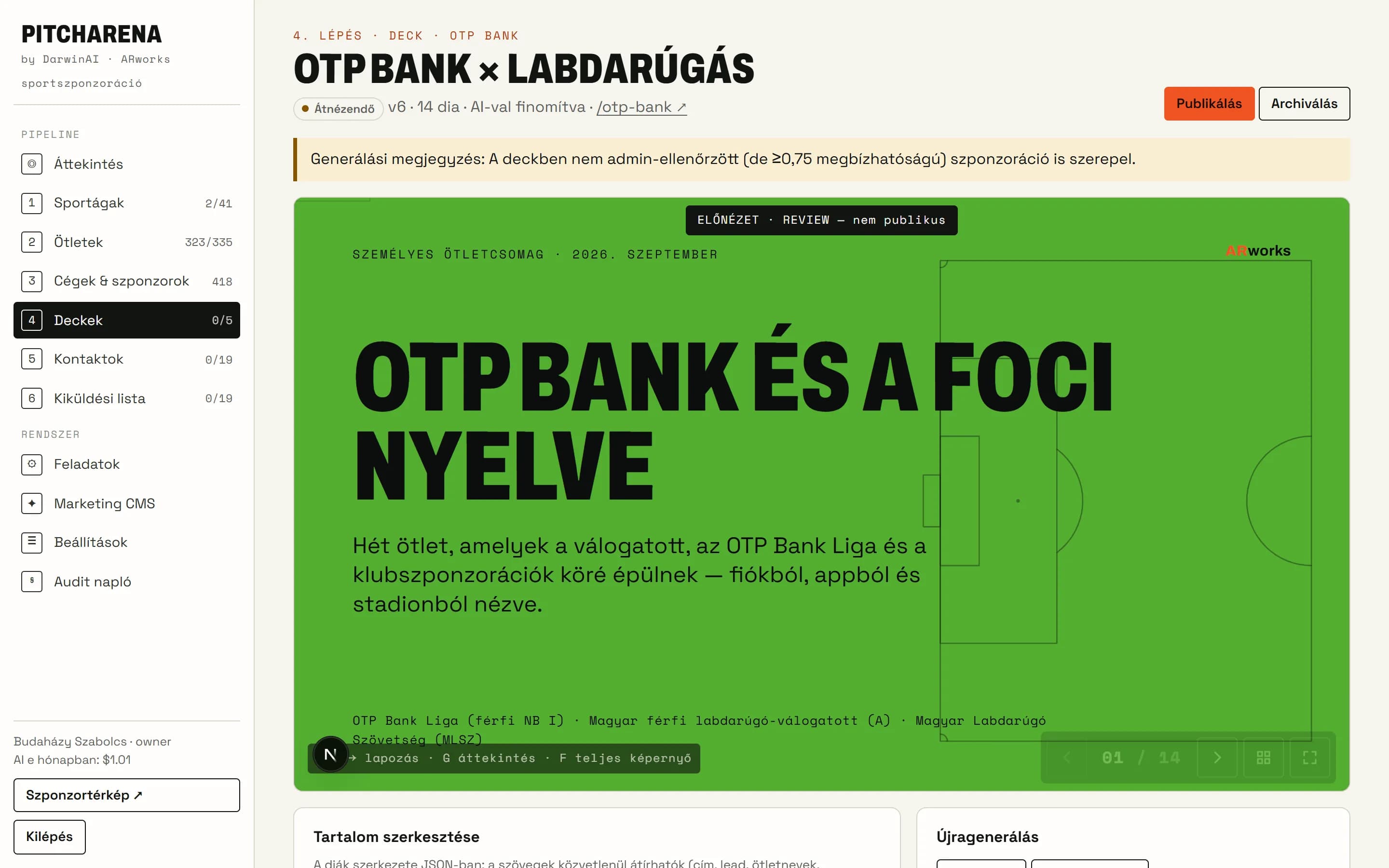
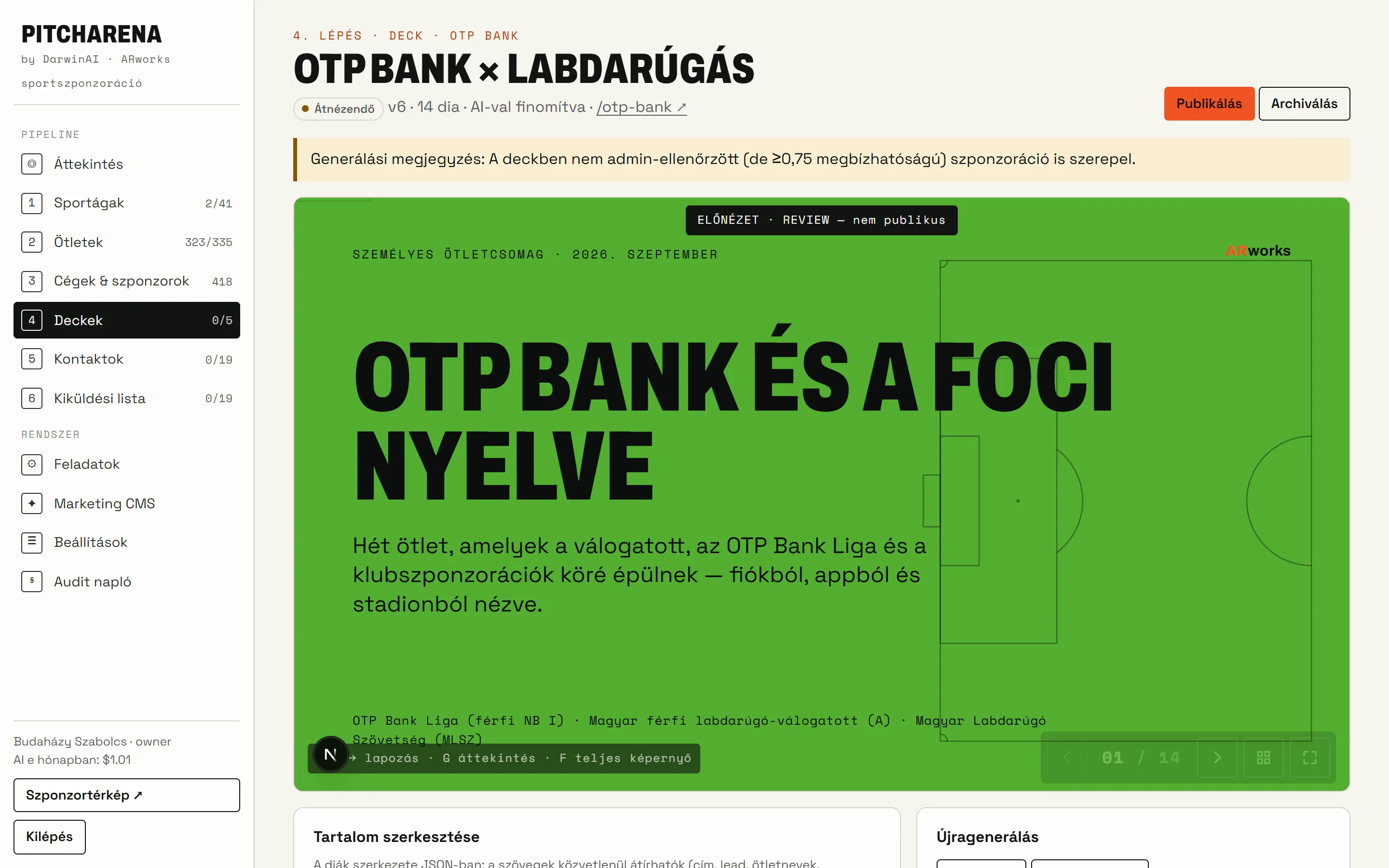
- Step 4 · Decks
A personal presentation in the brand colours
Live preview, versions, editing, password and publishing — plus view tracking: was it opened, for how long, was the call to action clicked.
- Landscape and portrait (mobile) view, accessible
- AI-refined, company-specific copy
- Cookie-free view statistics
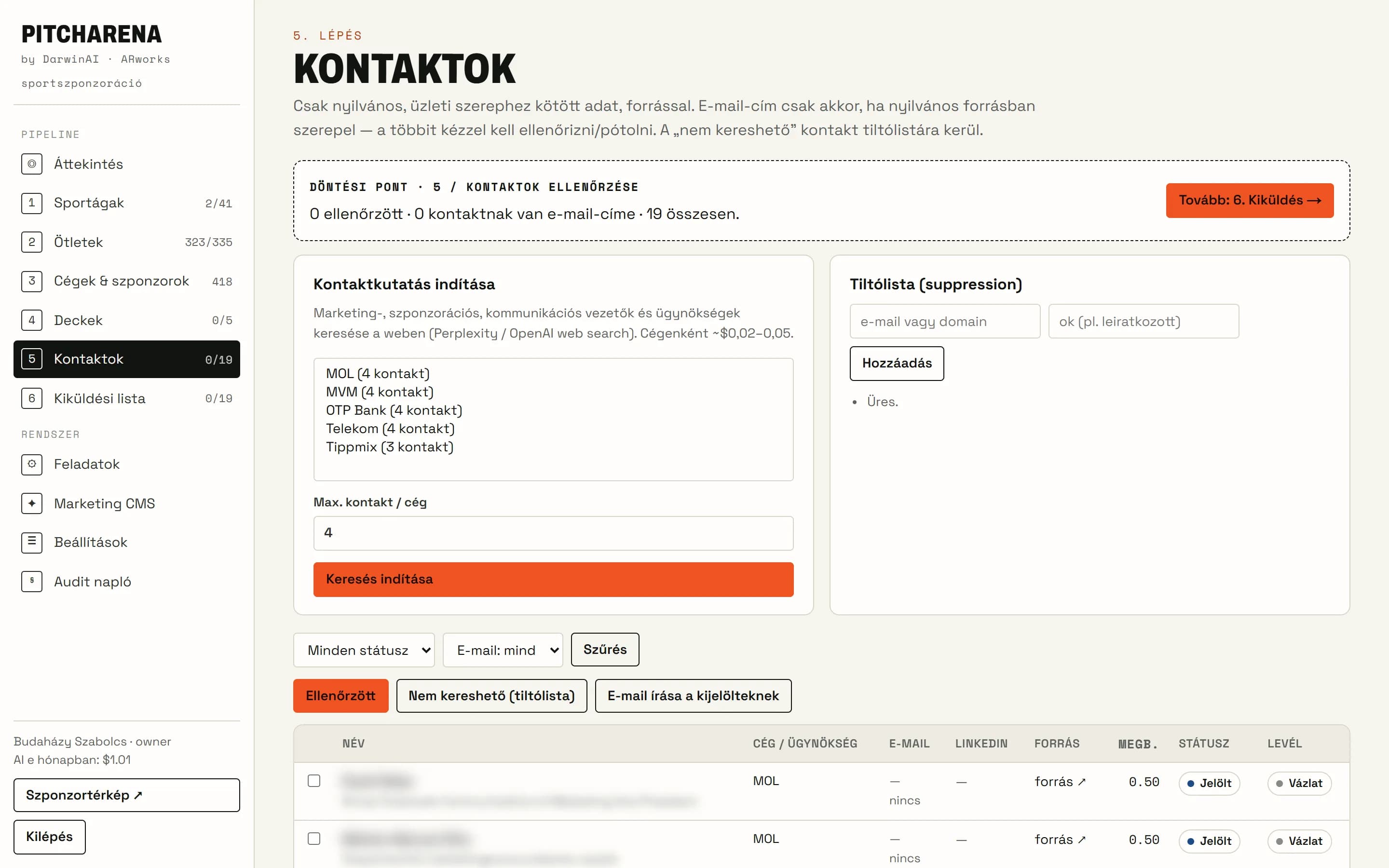
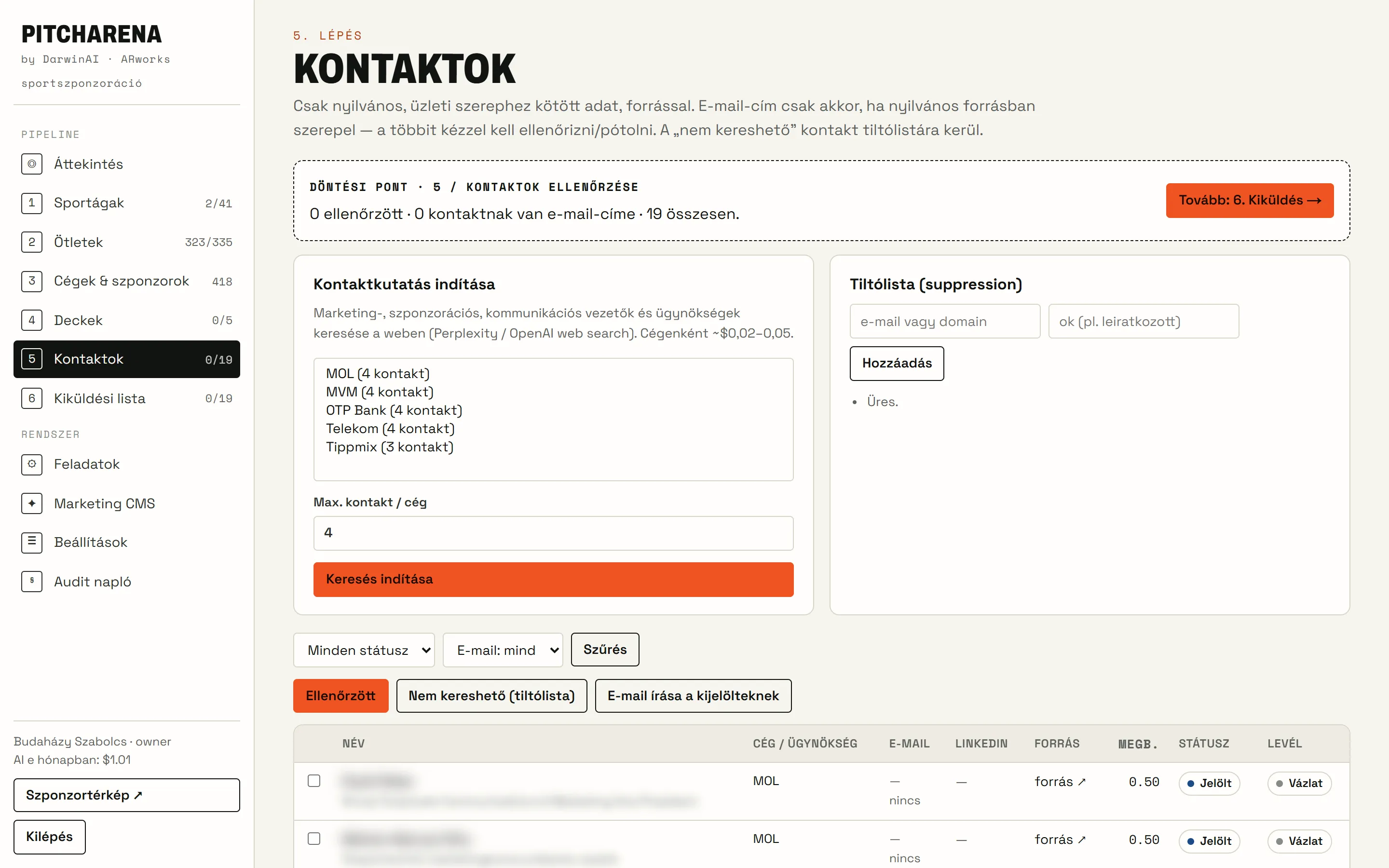
- Step 5 · Contacts
Decision makers, from public sources
The system researches marketing and sponsorship leads from public sources, with a source link and a confidence score. It never uses invented email addresses.
- Source and confidence for every contact
- Manual verification and a suppression list
- Personal details are blurred in the screenshot
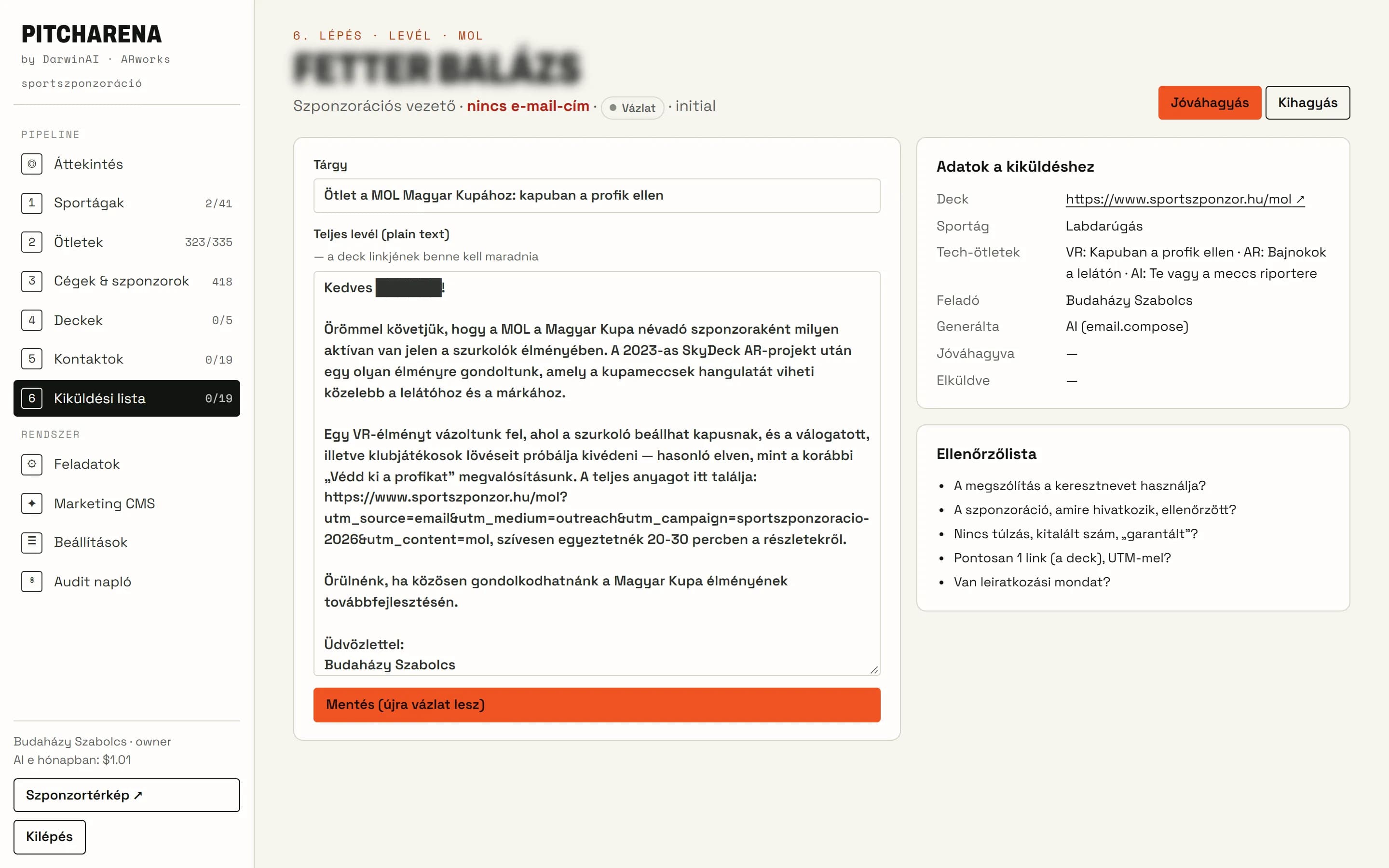
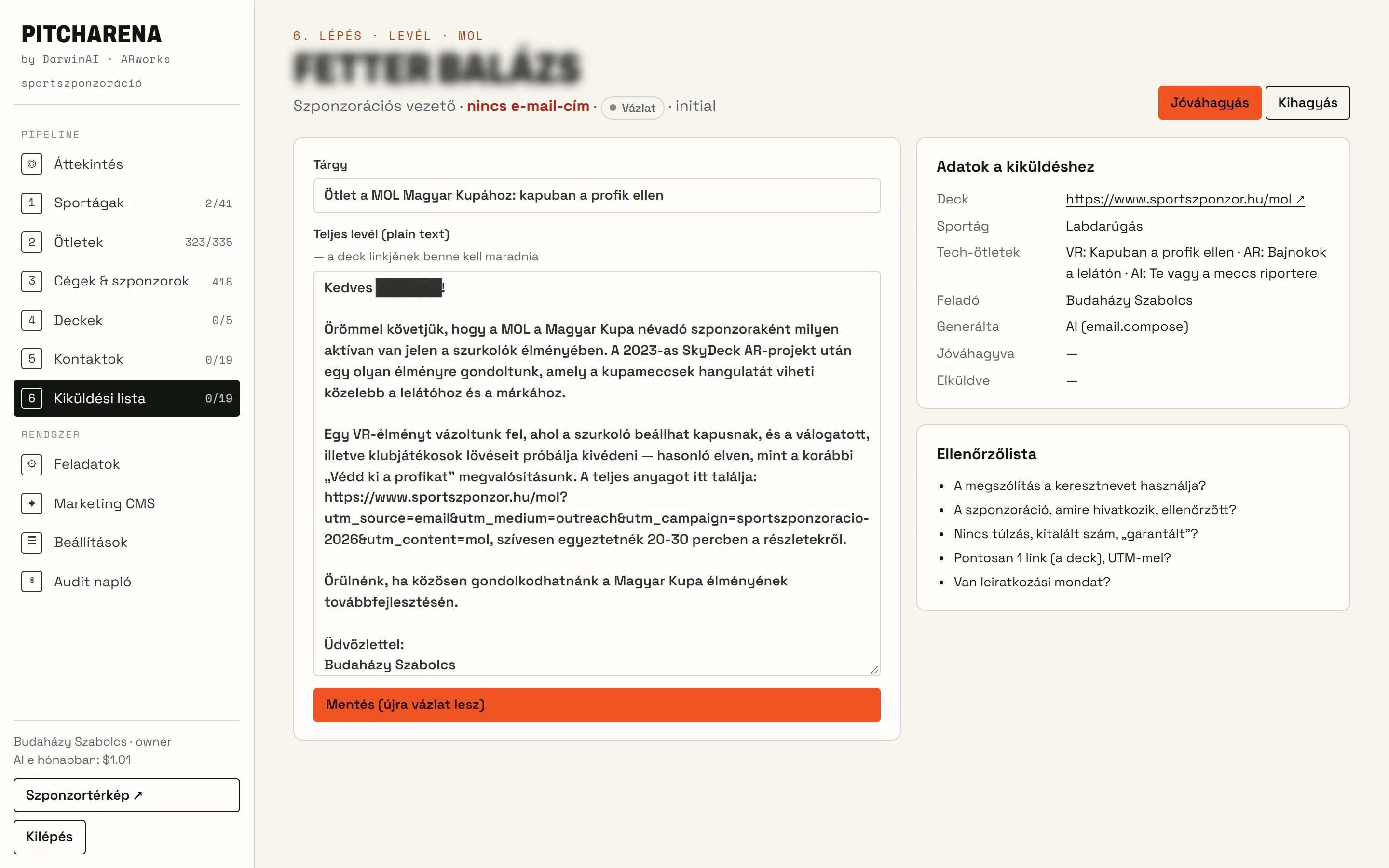
- Step 6 · Outreach
Emails only after approval
A personal email with the presentation link and a checklist. After approval, an external agent (OpenClaw) sends it through an API.
- 3–5 emails a day, with a per-company limit
- Checklist: source, tone, link
- Unsubscribes and the suppression list respected
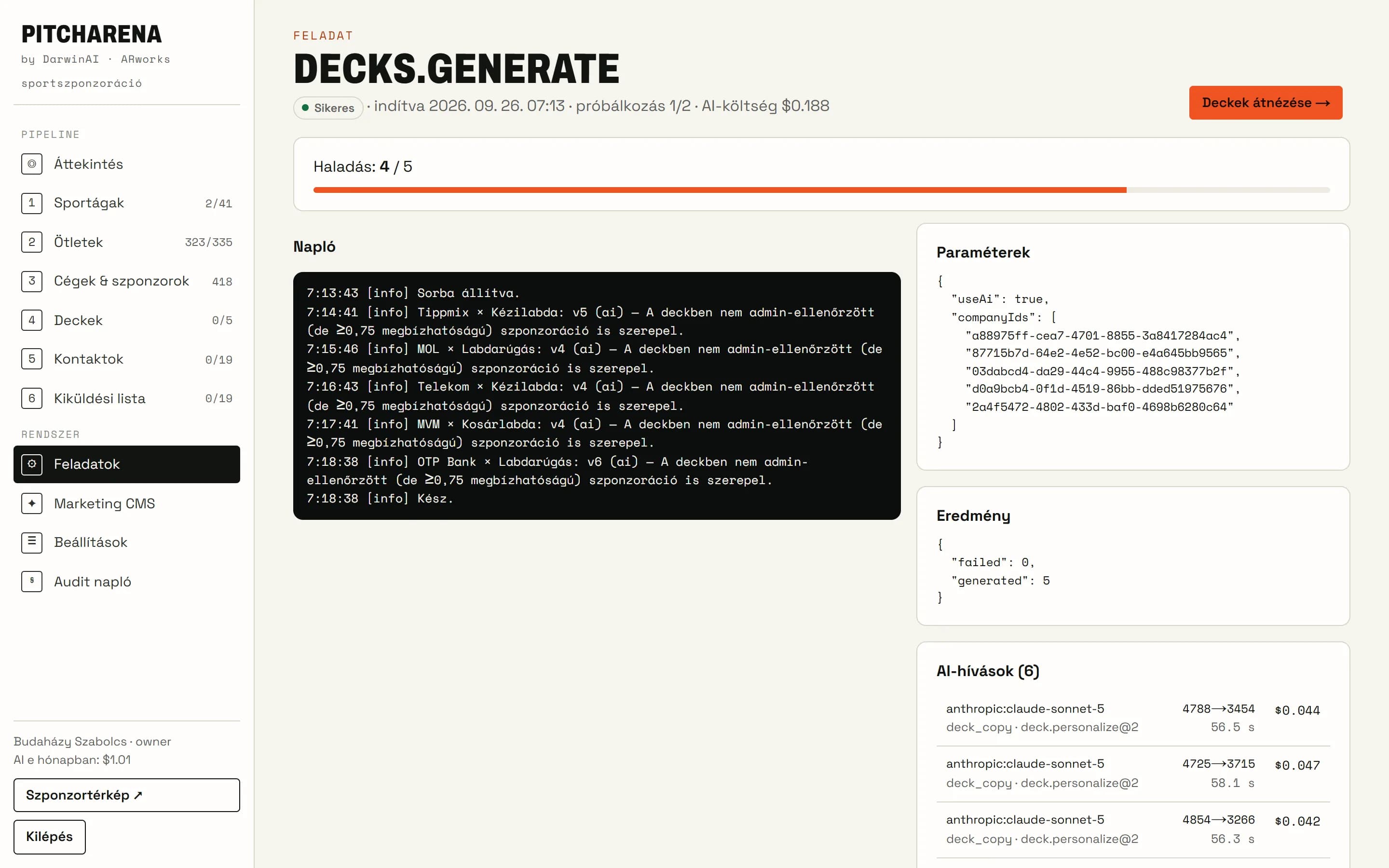
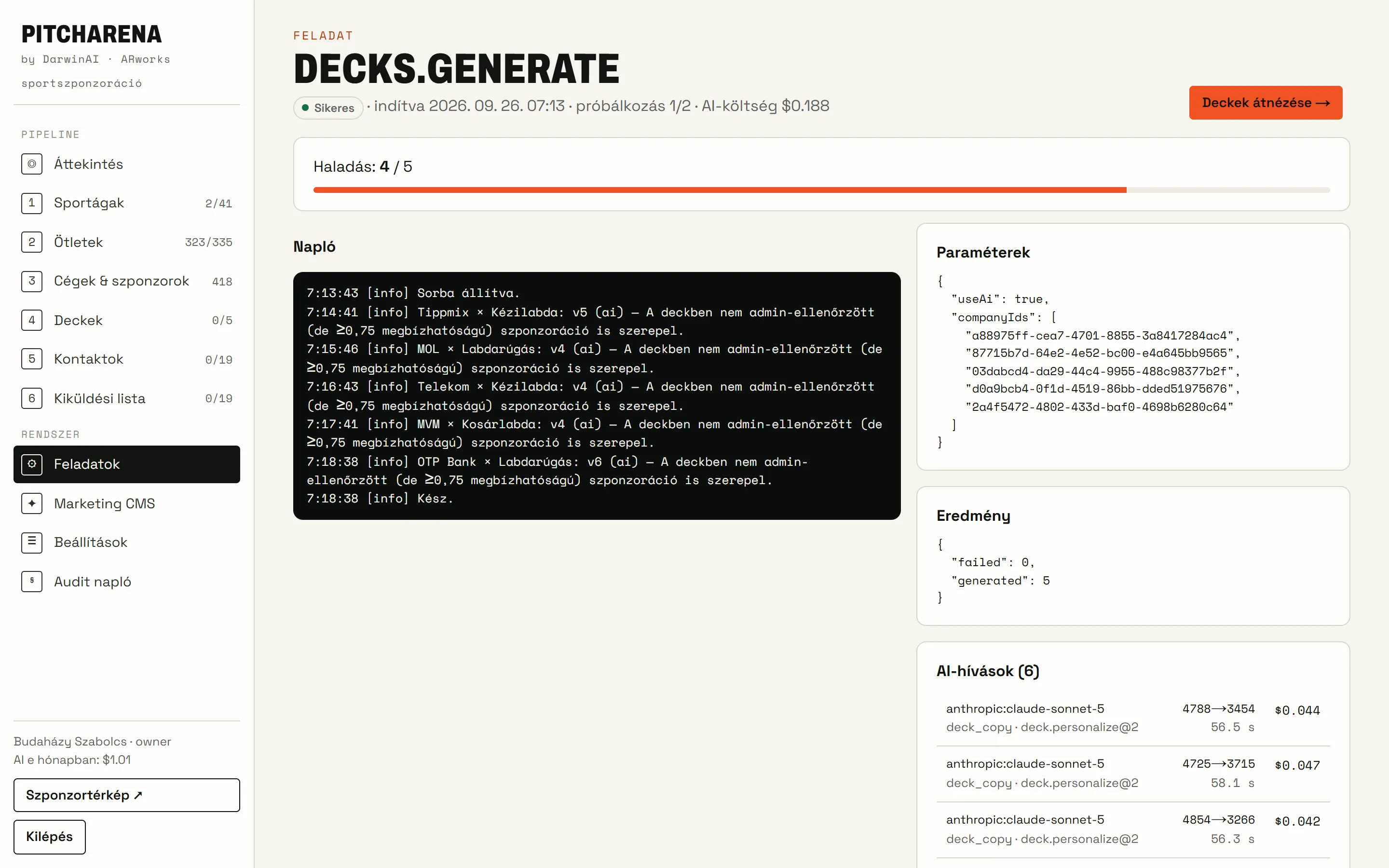
- System · Jobs
Every generation logged
Every AI operation runs as a background job: with progress, a log, cost per model and retries on failure.
- Live log and progress bar
- AI calls with model, tokens and cost
- Audit log: who decided what, and when
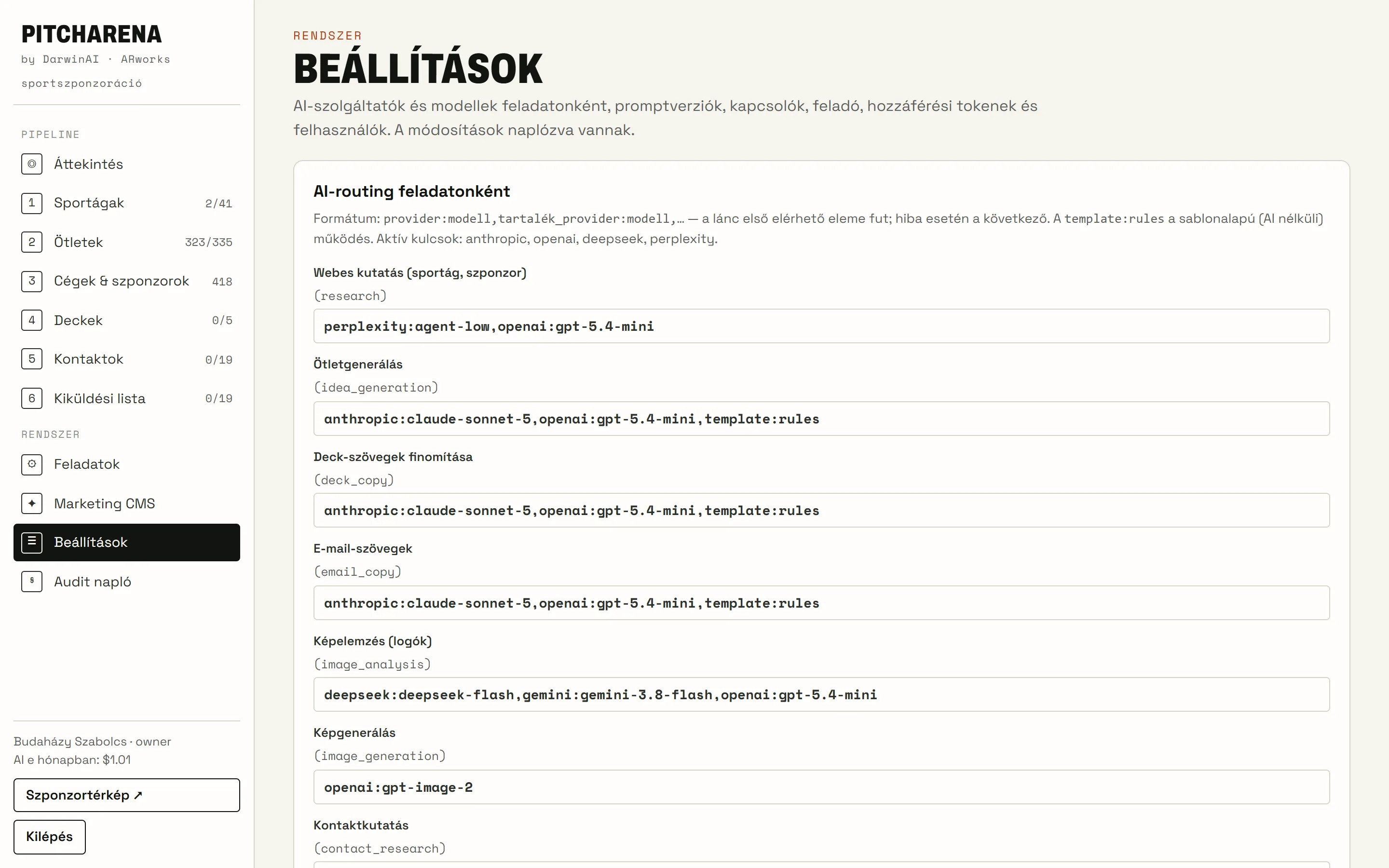
- System · Settings
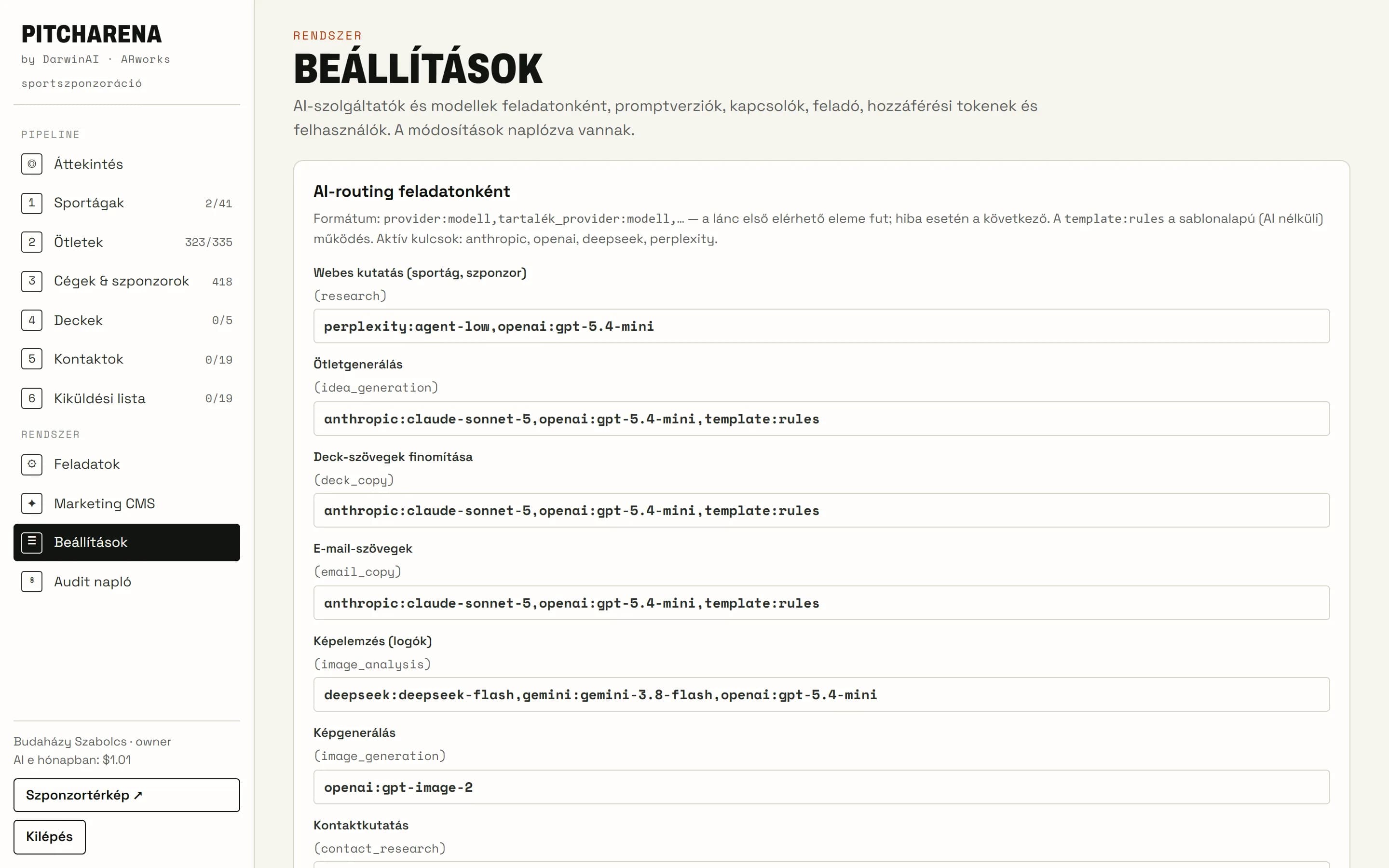
AI routing and prompts
A model per task with a fallback chain (Claude, Perplexity, OpenAI, DeepSeek, templates), versioned prompts, switches and access codes.
- Fallback model if a provider fails
- Monthly AI budget, spending cap
- Users and roles
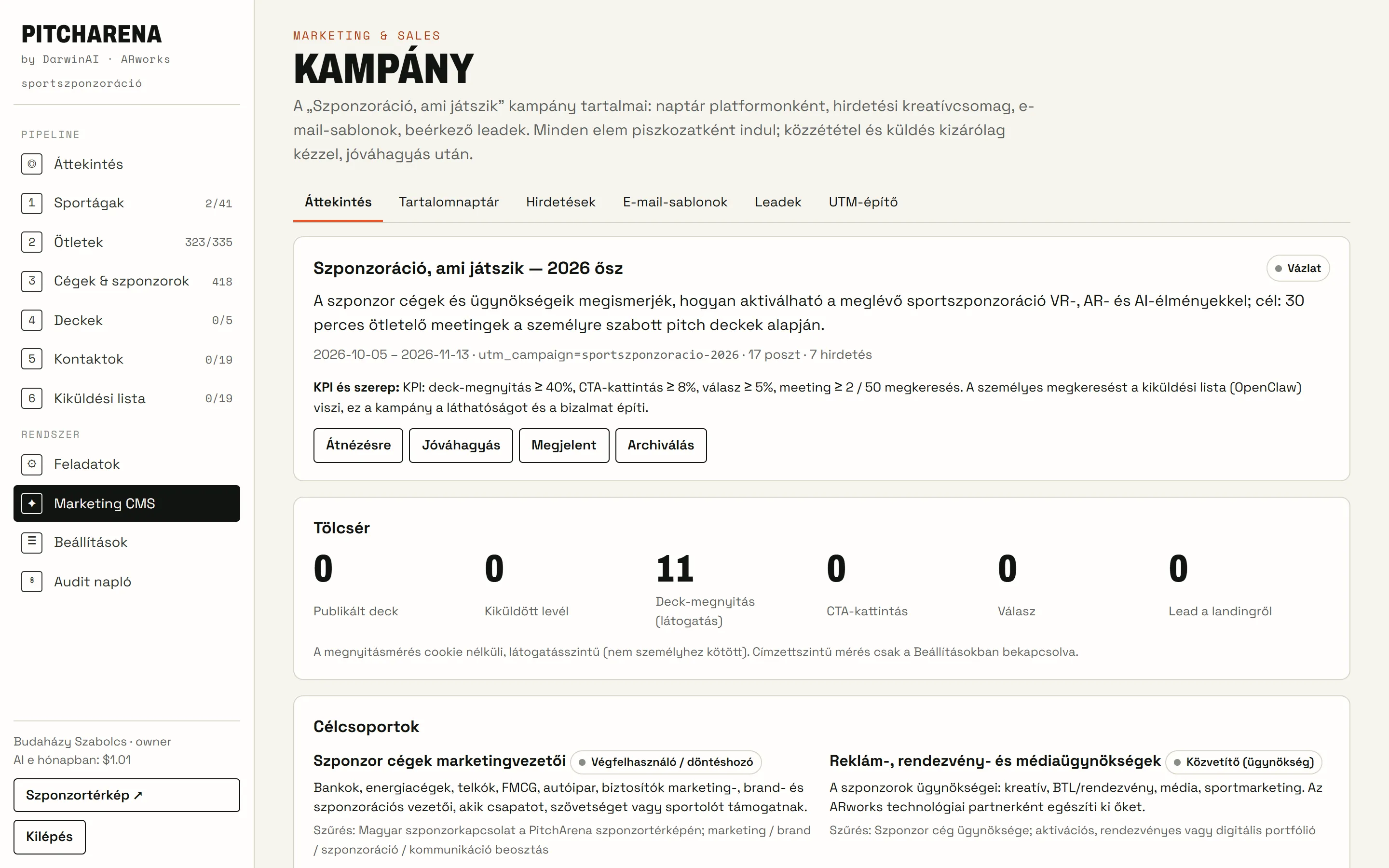
- Marketing CMS
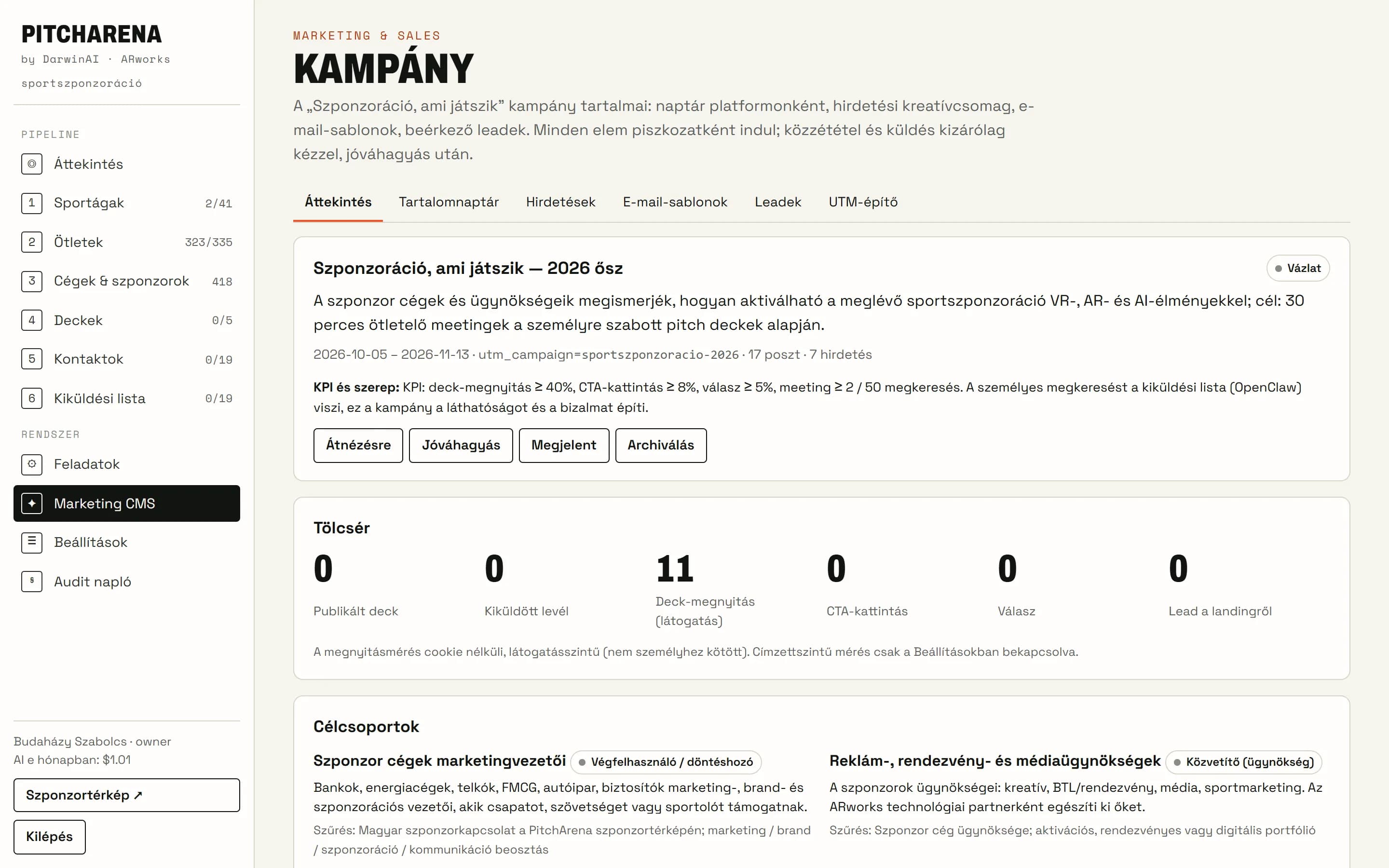
The campaign itself runs from here
Target groups, funnel, a six-week content calendar, ads, email templates, incoming leads and UTM links in one place.
- Content calendar for five platforms
- Leads from the website, with access codes
- UTM builder and CSV export
The first five presentations
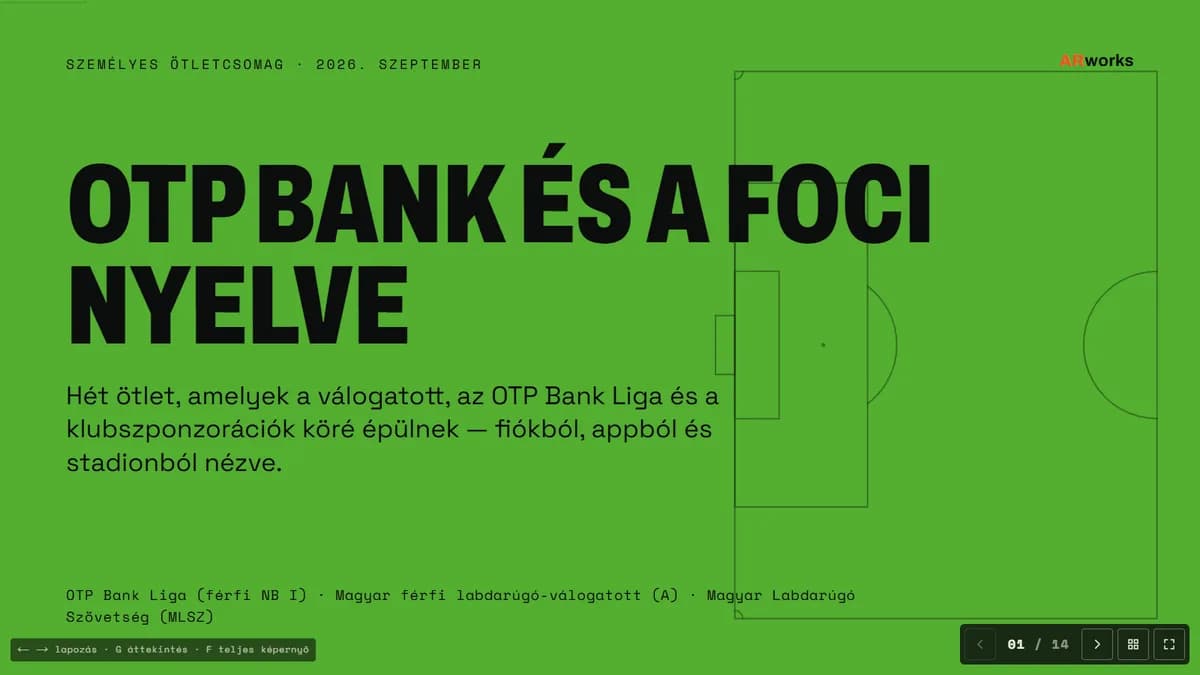
The finished, personal presentations for the five companies of the pilot campaign — live, in the same viewer the companies receive (in Hungarian).
- OTP Bank × Labdarúgás7 ideas · 14 slidesView →
 Tippmix × Kézilabda7 ideas · 14 slidesView →
 MOL × Labdarúgás7 ideas · 14 slidesView →
 Telekom × Kézilabda7 ideas · 14 slidesView →
 MVM × Kosárlabda7 ideas · 14 slidesView →
Pilot presentations that have not been sent yet. In the campaign every company receives its own link (optionally password protected), and the CMS records who opened it.
Built by AI, directed by a human
PitchArena was built entirely with artificial intelligence. The code, the database, the research data, the design system, the tests and the deployment were written and checked by Claude Code (Anthropic), directed by DarwinAI: a single person gave the brief and made the decisions.
- 2 days
- from the first brief to going live (25–26 September 2026)
- ~25,000
- lines of code (TypeScript, CSS, scripts)
- 19 + 12
- admin pages and API endpoints
- 58 + 8
- automated tests and browser scenarios
- 2 languages
- Hungarian and English, with 400+ translation keys
- $1.01
- AI cost of the pilot (ideas, presentations, emails, contact research)
Technology
- Next.js 16
- React 19
- TypeScript
- PostgreSQL 16
- Drizzle ORM
- d3-force
- Claude Sonnet 5
- Perplexity
- OpenAI
- DeepSeek
- Vitest
- Playwright
- GitHub Actions
- Docker
- Coolify
- Hetzner
Deployed after every change
- git push
- GitHub Actions: lint, tests, build
- Docker image, with a content check
- Coolify · Hetzner
- www.sportszponzor.hu
Quality
- WCAG AA contrast, keyboard accessible
- Cookie-free analytics, privacy by design
- Secrets never in the code or the image
- Every AI step logged, within a budget
Let’s talk about your campaign
If, as a sponsor, you would like to know what experience could be built around your sponsorship — or you are an agency that would like a similar system — write to us.